
Only users with an "Expert" profile can create forms.
To create a Form, you need :
- Go to the Forms page and click on the Create a form button
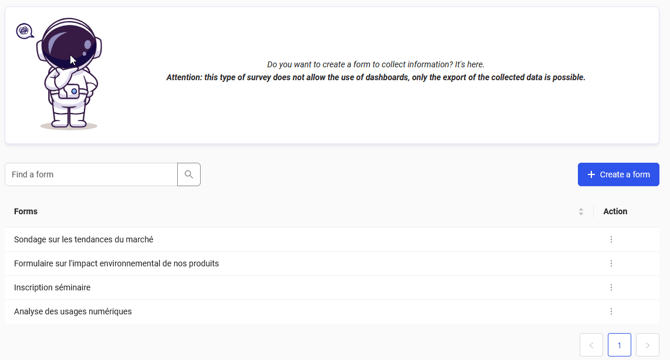
- In the window that opens, enter the name of your form.
- Once the name has been validated, the form editor opens directly.
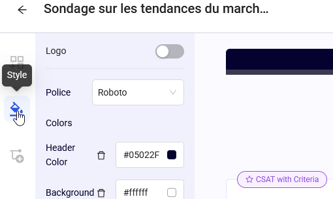
- The first thing to do is to select the following options via the survey parameters:
- the logo and its position in the header ;
- the colour of the form banner;
- the type of animation you want between each page.
- Next, you can define the content of your form, page by page:
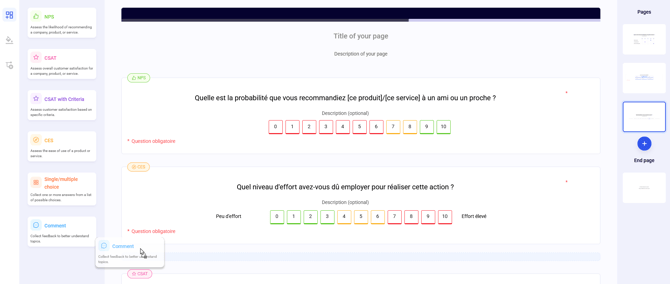
- Click on the question you want to put on your page and drag it to the desired position.
- To customise the wording and description of a question, simply click on the associated field.
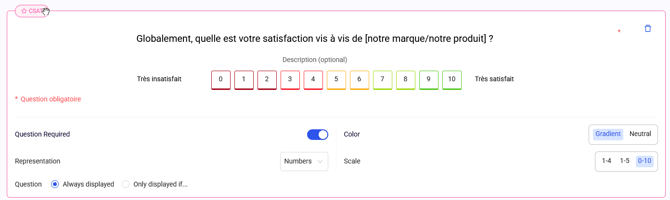
- To customise the appearance, scale type and mandatory/optional criteria of a question, simply click on the question. The available options are then displayed below the question.
- Once you have defined your questions on your page, you can set up your other pages, save your draft or publish your form.
💡A Journey form must contain at least one question, whatever its type.
Contrary to hot surveys :
- It is not mandatory to include a Recommendation (NPS), Satisfaction (CSAT), Effort (CES) or Comment question.
- You can insert a Recommendation (NPS), Satisfaction (CSAT) or Effort (CES) question several times.